
- Portal
- API
1
Create an agent
Open upliftai.org/app/calling and click Create an Agent.
2
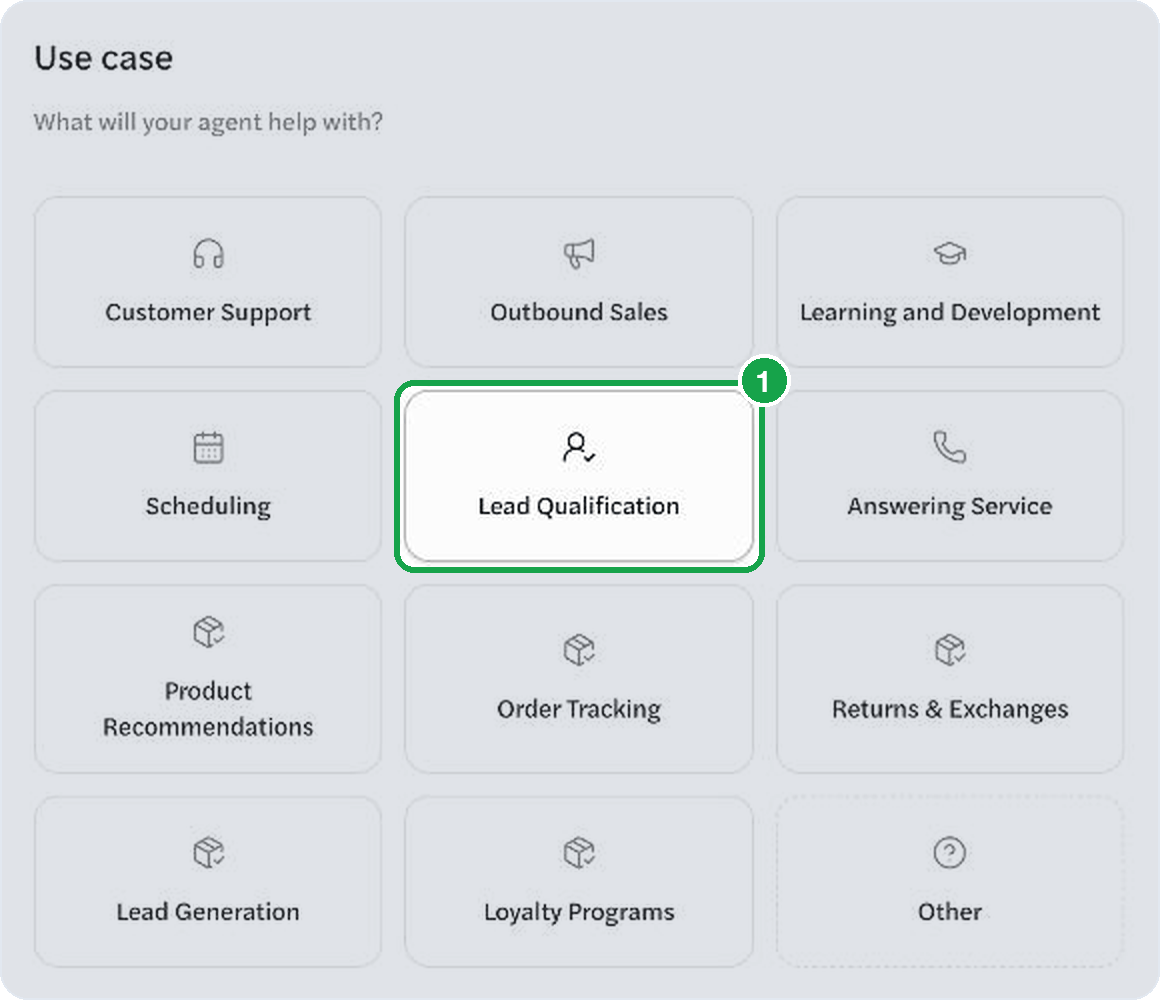
Pick your industry and use case
Choose the closest match on both screens. We tailor the agent’s setup from here.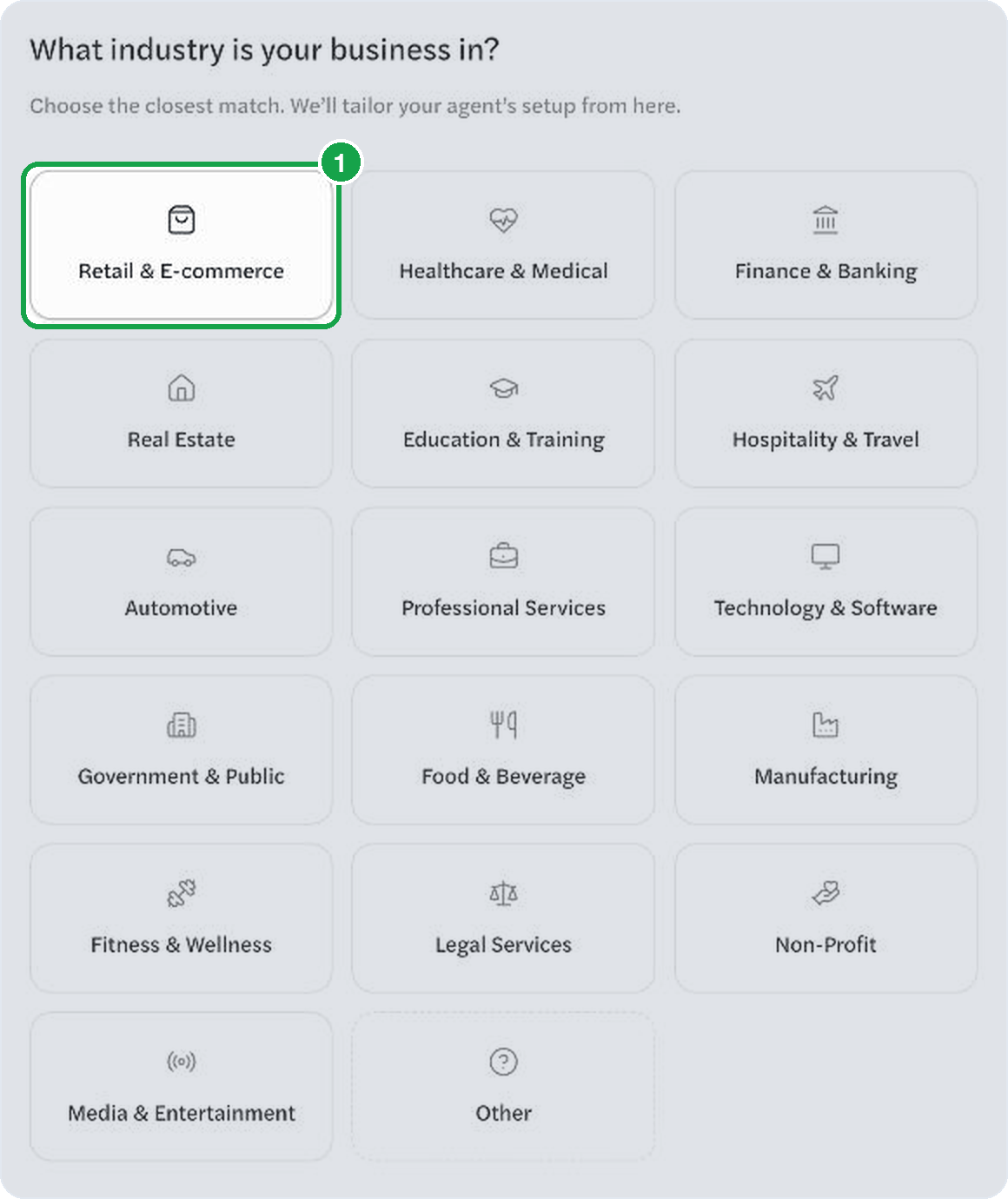
3
Describe the call
Name the agent and write the goal: what the call is for, the facts to pitch, and what the agent must not do. Click Check Goal Clarity, then Create agent.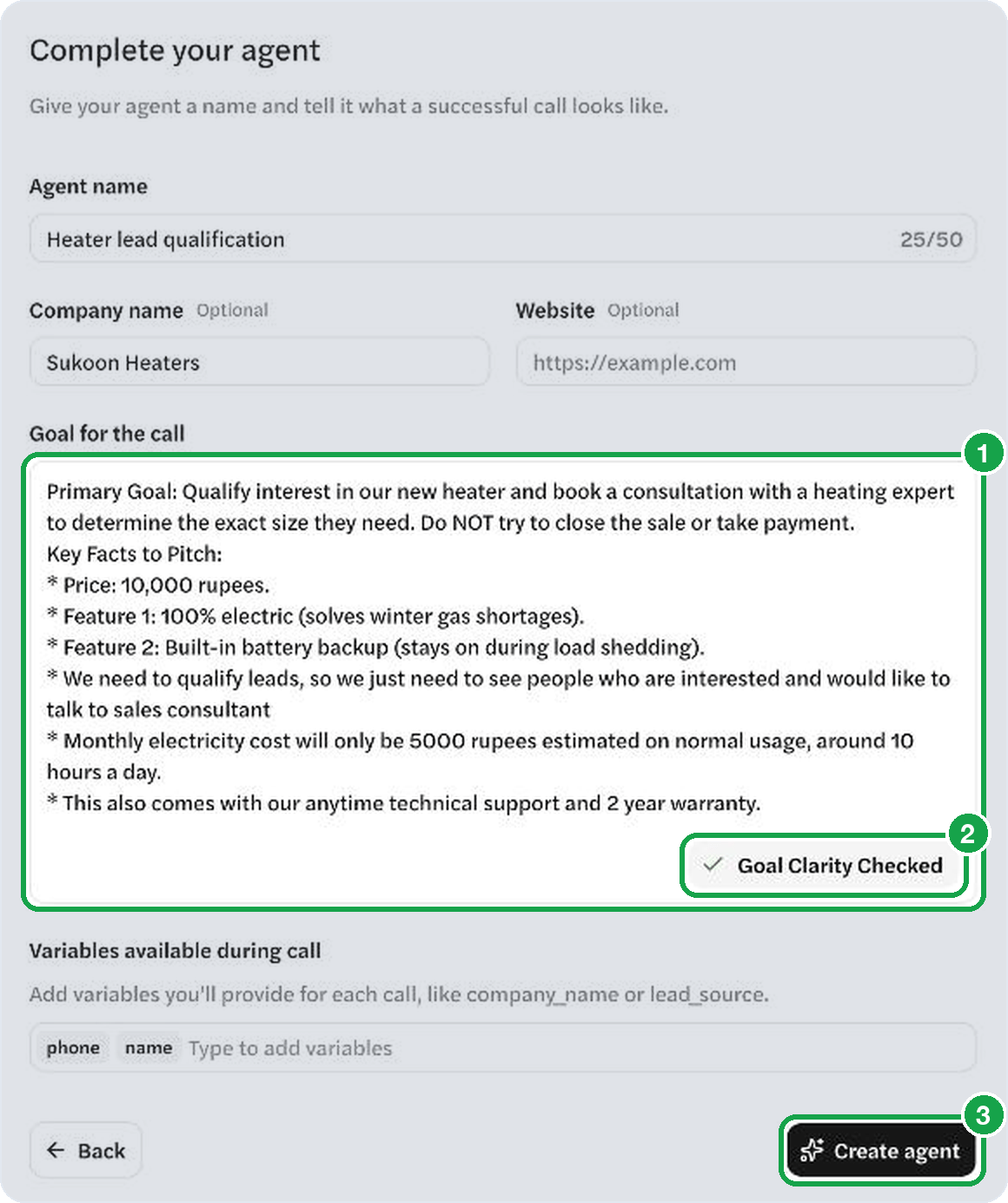
4
Call your phone
Click the phone button next to Test in Browser, enter your number, and click Call Now. Your phone rings in a few seconds.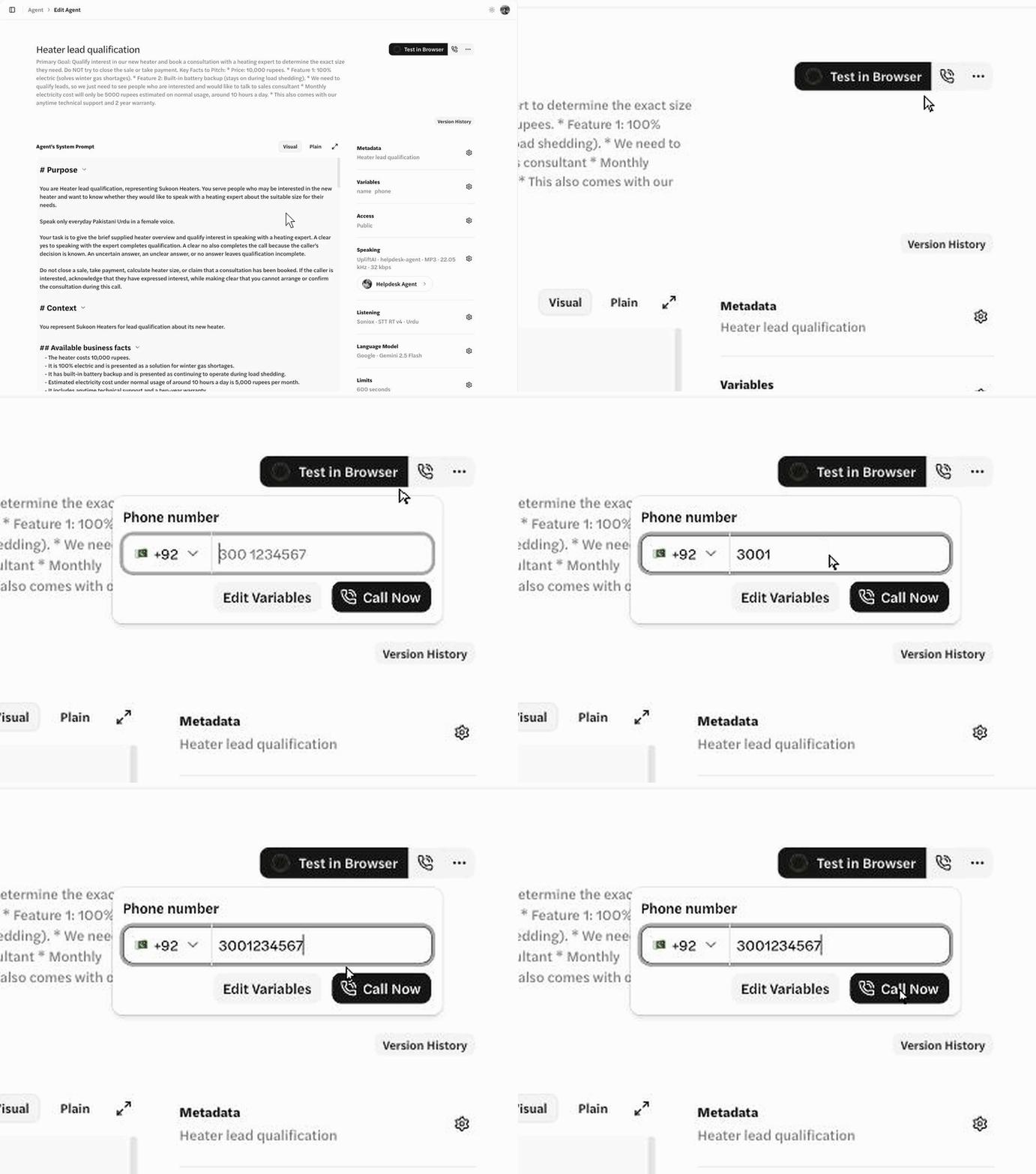
If your phone doesn’t ring
- Out of credits comes back as a 402, and nothing is dialed. Every account starts with 10 free minutes — see Pricing.
- One call at a time is the default. Dial your number again while the first call is still up and you get a 409
number_busy. A dial to another number gets a 429. Wait for the first to end. - No answer, busy, or unreachable shows up on the session status as
failureReason. Phone call states lists them all.
What next
- Personalize the call. Pass each customer’s details on the dial — see Per-call instructions.
- Call a whole list. A campaign dials everyone, retries, and hands back results per person.
- Write a better prompt. Voice prompting covers what works on a call. Or build from a brief and we write the Urdu prompt for you.
- Get results pushed to you. Webhooks send the transcript and grade as each call finishes.